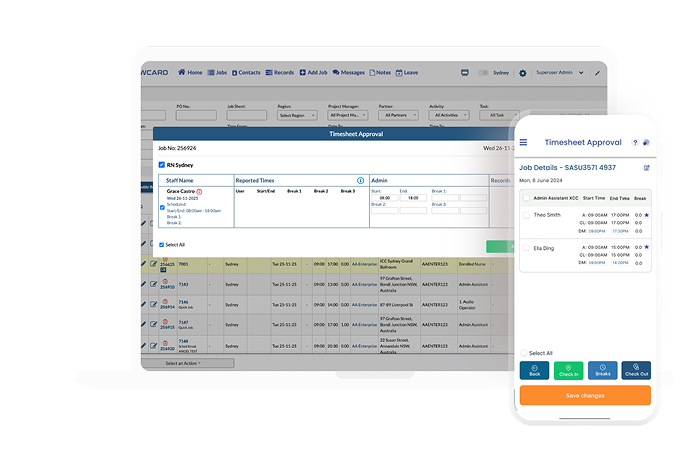
CrewCard helps US businesses track working hours with speed, accuracy, and confidence. From mobile clock-ins to real-time workforce visibility, the platform eliminates manual timesheets, reduces payroll errors, and gives managers complete control over time attendance across every location, role, and shift. Whether your workforce is remote, mobile, or site-based, CrewCard ensures time is captured accurately and compliantly.

Reduce timesheet errors with real-time digital time capture.

Track attendance activity across teams and locations instantly.

Remove spreadsheets and manual uploads with automated workflows.

Manage all timesheets, approvals, and workforce hours in one secure, enterprise-grade system.

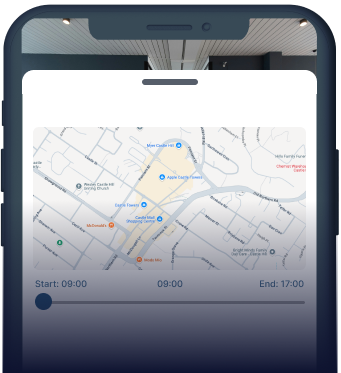
Use GPS and geofencing to prevent off-site clock-ins and strengthen time accuracy.

All timesheets require client approvals before timesheets progress to payroll for stronger financial governance.
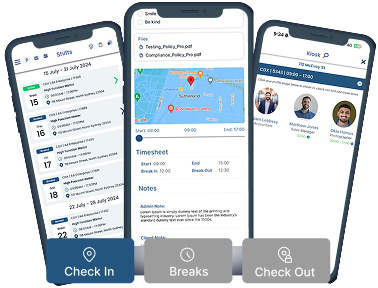
Crew members can clock in and out directly from the CrewCard mobile app using their smartphone or tablet. This eliminates paper timesheets, reduces missed clock-ins, and gives workers fast, simple access to their schedules and work hours from anywhere.
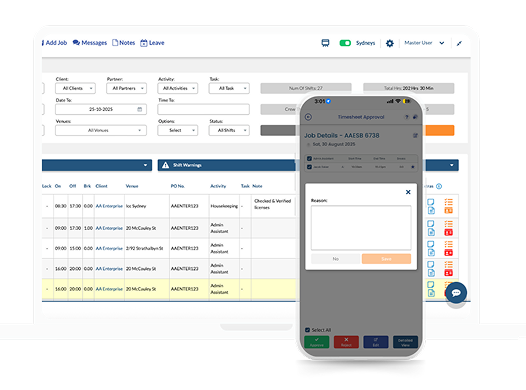
All timesheets, clock-ins, approvals, GPS data, and kiosk entries are stored in a single, centralized platform. This gives administrators a complete, real-time view of workforce hours without relying on spreadsheets or disconnected systems. By centralizing data, businesses reduce errors, improve reporting accuracy, and gain confidence in payroll readiness.
CrewCard’s GPS engine validates clock-ins and clock-outs against approved job locations by allowing administrators to set a physical geofence radius around each worksite. Crew can only clock in when they are physically within the allowed location range, preventing off-site or unauthorised time entries. The system automatically flags irregular activity, strengthens workforce accountability, prevents time theft, and creates a clear, auditable trail of attendance data.
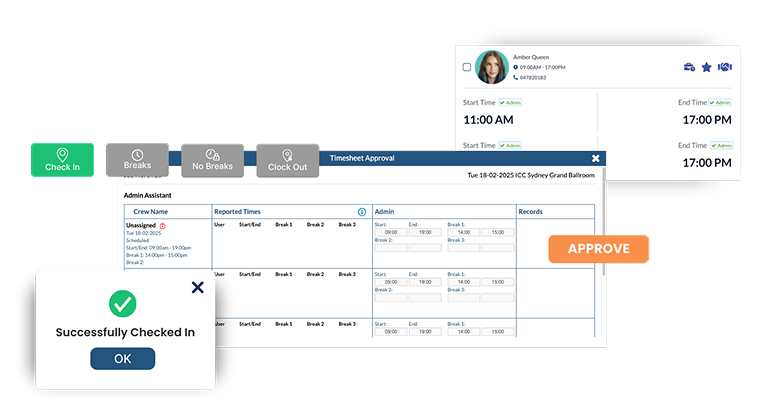
CrewCard enforces a structured, multi-level approval framework to ensure payroll accuracy and compliance. Timesheets are routed through configurable approval chains where clients and administrators must approve time entries before they are eligible to be processed into payroll. This dual-control workflow reduces payroll risk, strengthens financial governance, and ensures labor costs are validated at both operational and commercial levels.
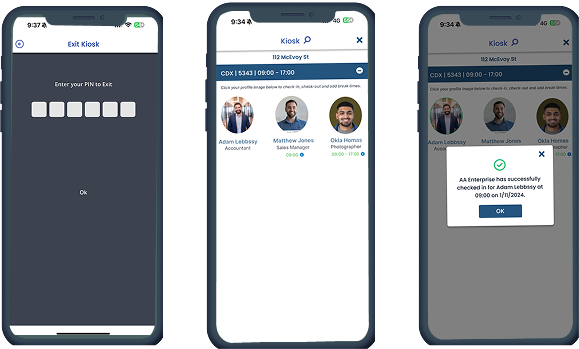
CrewCard’s Kiosk mode turns shared devices into secure, on-site time terminals. Workers can clock in and out using unique identifiers, ensuring time records are accurate, controlled, and captured in real time. Kiosk data syncs instantly with the central platform, giving administrators visibility and improving time tracking accuracy across busy job sites.
Workers use the CrewCard mobile app to record their time. When starting a shift they tap “Start” / “Check‑In”, and when finishing they tap “End” / “Check‑Out.” If they take breaks, they use the “Breaks” button to log break start and end times.
Yes — timesheet approval can be done via the mobile app by supervisors, clients or admin.
Yes — CrewCard records both the scheduled shift times and the actual time crew tap the check‑in/out buttons, so supervisors can see late arrivals, early departures, and total hours worked.
Yes — CrewCard supports multi‑level approval workflows, different roles (e.g. Crew Member, Supervisor, Client, Admin) can be involved in the timesheet approval process.
If a timesheet is submitted but contains errors (wrong check-in/out times, missed breaks, etc.), the approver (supervisor, client or admin) can reject the timesheet.Upon rejection, the crew or whoever submitted the timesheet can review the shift details, correct errors (check-in/out, break times, etc.) and resubmit.