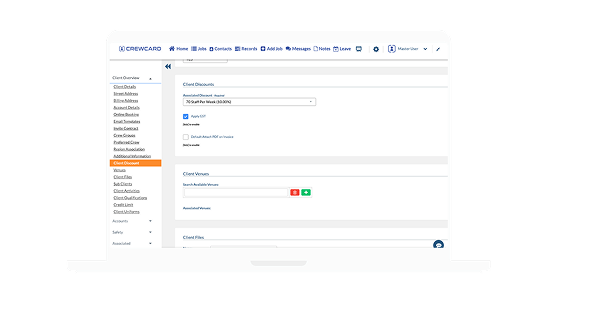
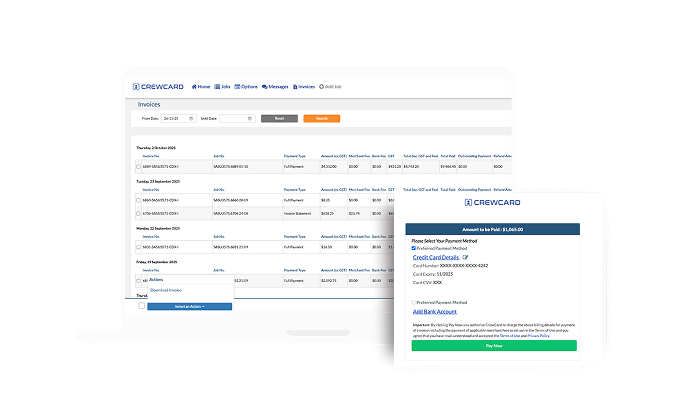
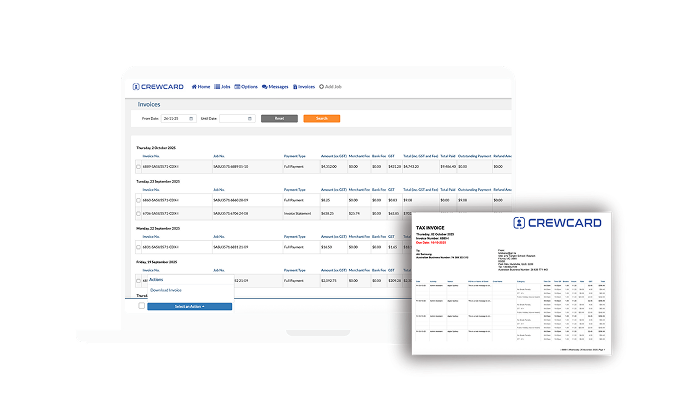
With CrewCard, managing clients and billing happens in one connected platform designed for service-driven staffing operations. Track client profiles, job bookings, and invoicing from start to finish. Quotes are generated automatically, invoices issued swiftly, and payments tracked in real time—all while keeping your client data organized, accessible, and actionable. Whether your operation is midsize or nationwide, this module empowers you to build better client relationships, improve cash flow, and scale billing operations with confidence.

Maintain detailed profiles, contact history, job-tracking and communication logs to deliver personalised service and repeat business.

Automatically convert job sheets into quotes or invoices to reduce turnaround time and get paid sooner.

See all sent, paid and outstanding invoices in one view so you stay on top of receivables and reduce late payments.

Store contracts, billing terms, jobs, and communications under each client record—no more scattered spreadsheets.

Because invoicing is tied to job and timesheet data, your billing is grounded in real workforce activity and becomes more accurate.

Built for growing operations—handle more clients, more jobs, and more invoices without growing your admin burden.
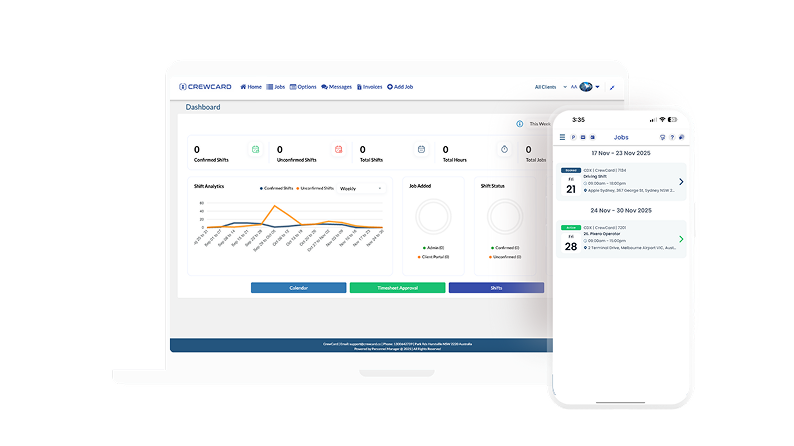
Provide your clients with secure, controlled access to their own portal where they can view jobs, download invoices, and stay informed about service delivery and billing activity. CrewCard ensures clients only see what they need, while your internal operations remain protected.
This self-service visibility reduces back-and-forth emails, improves transparency, and accelerates approvals. Clients gain trust through clearer communication, while your team saves time and maintains full control over workflows.
Centralize all client data in one secure platform built specifically for workforce-driven businesses. CrewCard’s Client CRM stores contact details, job history, service locations, billing terms, operational notes, and communication records in a single, structured system.
Teams can quickly view past activity, client preferences, contracts, and pricing rules without switching between spreadsheets or disconnected tools. This improves response times, reduces errors, and helps businesses build stronger, longer-term client relationships while scaling operations with confidence.
CrewCard supports advanced client-level billing structures, allowing administrators to configure custom rates, charge multipliers, service fees, travel charges, and special pricing rules. Discounts, credit notes, adjustments, and partial charges can be applied within the system, ensuring invoicing remains flexible while maintaining clean financial audit trails.
CrewCard gives businesses structured control over invoice follow-ups and payment risk. Administrators can generate formal payment notices for overdue invoices, ensuring consistent and professional communication with clients without relying on manual documents. The system also supports structured dispute handling, allowing billing teams to record, manage, and resolve invoice adjustments in a controlled way. This creates a clear audit trail, reduces financial risk, and helps protect cash flow while maintaining strong client relationships.
CrewCard connects job data, timesheets, and approved work directly to the invoicing engine. This ensures only verified work is billed, eliminating human error and manual reconciliation. Invoices are generated using your predefined charge rates, job references, and client-specific billing rules, allowing billing teams to produce accurate, professional invoices at scale without relying on spreadsheets or disconnected tools.
If a client disputes an invoice (e.g. wrong hours, billing, extra charges), you can edit the invoice via admin settings: apply discounts/deductions or adjustments (e.g. “Admin Discount”), then update and resend the invoice.
Invoices can be edited after creation: you open the invoice, apply changes (discounts, fees, amounts, GST adjustments, etc.), then click “Update Invoice.” This effectively issues a corrected invoice. For overcharges or billing errors, you can issue a Credit Note. The credit note will deduct the overpaid amount from the next invoice or balance due. Payment history, refunds and adjustments including partial payments or refunds are tracked, so the system maintains accurate records even after corrections.
Yes — CrewCard supports bulk invoice generation and emailing. From the “Jobs” or “Invoices” page you can select multiple jobs/invoices and trigger a “Send Bulk Invoices” action. Additionally, if you integrate with accounting software such as Xero, you can bulk‑export invoices to Xero for further processing.
Because invoices are automatically generated from completed job sheets (with recorded crew times) and rate data, the risk of under‑invoicing due to manual error is reduced. The Invoice History and audit‑trail features give you visibility when changes are made e.g. corrections, credits, discounts which reduces chance of ghost invoices or accidental overpayment/underpayment. The ability to lock invoices once paid helps prevent inadvertent edits or re‑billing after payment.
CrewCard lets you email invoice statements (including outstanding balances) to clients directly from the system. There’s a built‑in feature to apply interest to overdue invoices (if configured with payment terms and grace‑period settings), which can help incentivise timely payment. For persistent non-payment, CrewCard offers a “Letter of Demand” feature (or at least the ability to enable one via support), which helps formalise collections for overdue invoices through documented notices.