CrewCard

Workforce Compliance, Simplified and Centralized

CrewCard’s compliance module gives businesses full control over workforce safety, legal readiness, and operational standards across every job, site, and worker. From work authorization and certifications to safety inductions and policy acknowledgements, CrewCard centralizes critical compliance processes into one secure platform.

Built for fast-moving, multi-site workforces, the system helps US businesses reduce risk, meet regulatory obligations, and ensure only compliant workers are deployed — without slowing down operations or relying on manual paperwork.

Onboarding

Smarter access for workforce decisions

Why CrewCard is the Smart Choice for Compliance?

Reduce Legal & Operational Risk

Prevent non-compliant workers from being assigned to jobs through automated system controls.

Real-Time Compliance Visibility

See workforce compliance status across roles, sites, and locations from a centralized dashboard.

Save Time on Compliance Administration

Eliminate manual tracking of documents, qualifications, and safety records.

Strengthen Workforce Accountability

Ensure every worker acknowledges policies, safety requirements, and legal obligations before starting work.

Proactive Risk Prevention

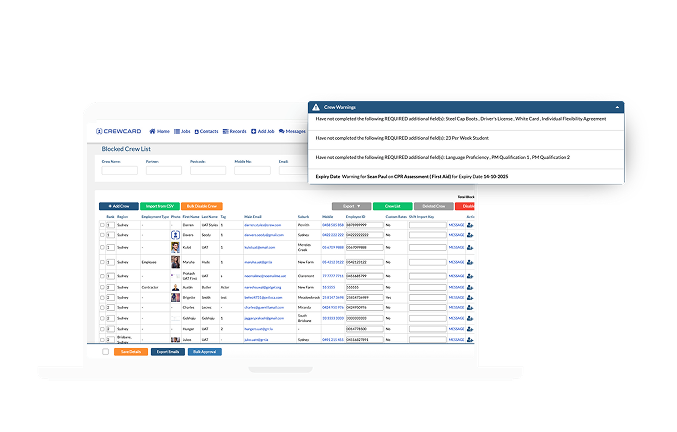
Receive alerts for expired, missing, or soon-to-expire compliance items before issues arise.

Built to Scale Safely

Support growing teams without increasing compliance risk or admin workload.
ADVANCE FEATURES

That Power Compliance

Centralized Compliance Records

All worker compliance data – including work eligibility, licenses, certifications, training records, and acknowledgements – is stored in one secure, centralized system. This gives HR, compliance, and operations teams real-time access to accurate compliance data without relying on spreadsheets or disconnected systems.

Automatic Compliance Blocking​

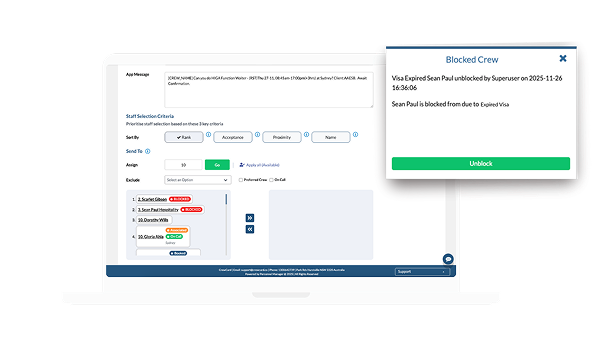
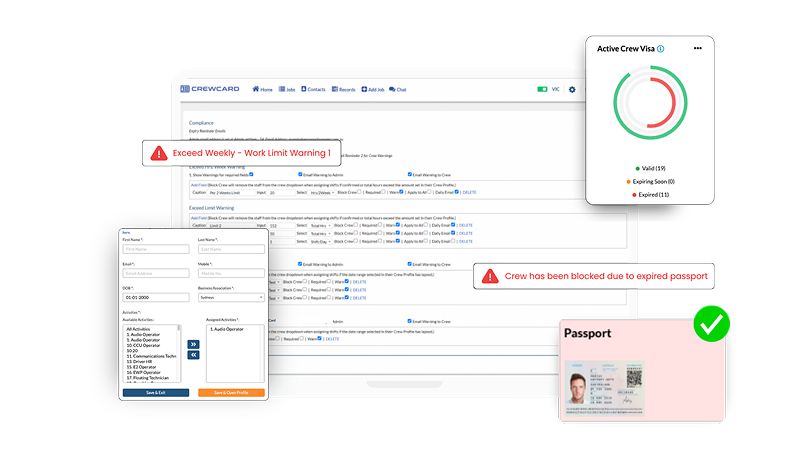
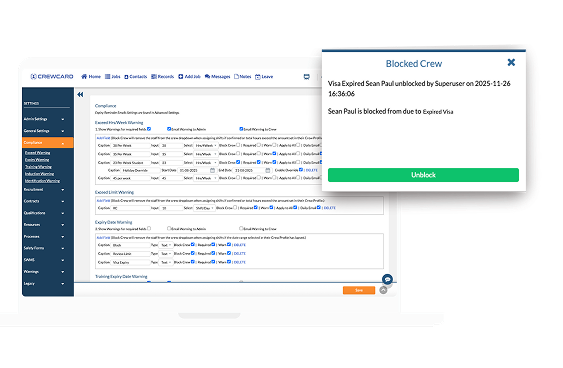
CrewCard actively prevents non-compliant workers from being scheduled. If a worker is missing required qualifications, work rights, or safety approvals, the system flags them in red and blocks them from being accidentally assigned to a job. This ensures only eligible, compliant workers can be deployed.

Expiry Tracking & Real-Time Alerts

The system actively tracks expiry dates for licenses, certifications, visas, and training. Automated alerts notify administrators and workers before items expire, helping teams prevent compliance gaps and last-minute workforce disruptions.

Digital Safety Inductions & Acknowledgements

All worker compliance data – including work eligibility, licenses, certifications, training records, and acknowledgements – is stored in one secure, centralized system. This gives HR, compliance, and operations teams real-time access to accurate compliance data without relying on spreadsheets or disconnected systems.

Role, Site & Client-Based Compliance Rules

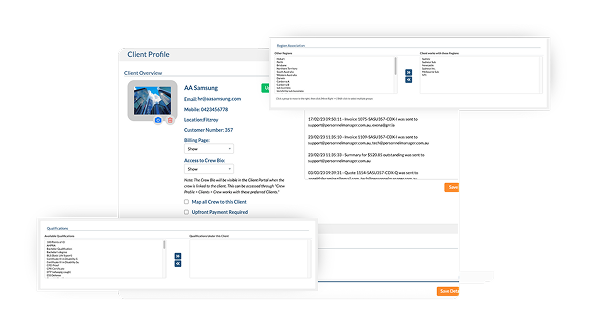
Compliance requirements can be configured based on job role, location, client, or business unit. This allows businesses to apply different safety and legal standards depending on site or contract requirements while maintaining central oversight.

Mobile Compliance Access

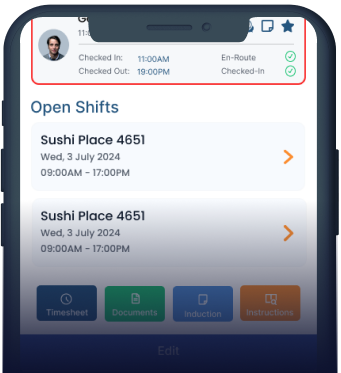
CrewCard allows crew members to securely upload licenses, certifications, work authorizations, and compliance documents directly through the CrewCard mobile app. Workers can capture photos or upload files in real time, eliminating paperwork and reducing delays in verification. Uploaded credentials are instantly stored in the worker’s profile and made available for administrator review and approval. This ensures compliance activity happens in real time, even across mobile, remote, and multi-site workforces, while keeping all records centralized, secure, and audit-ready.

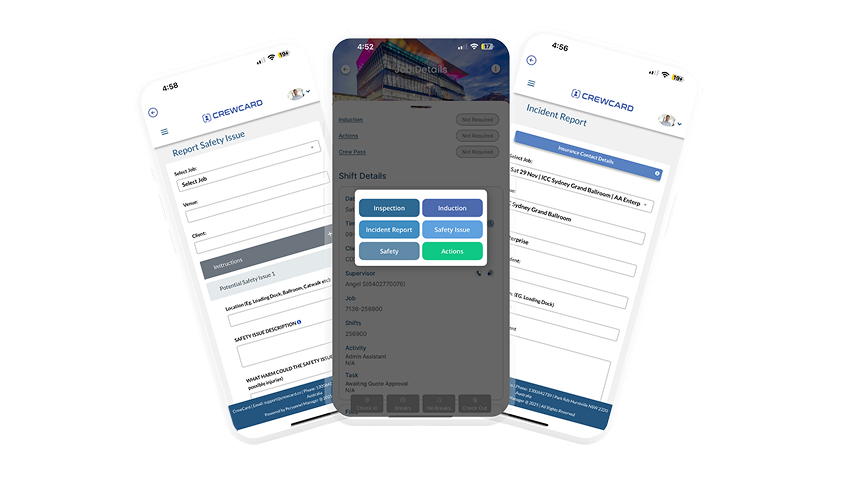
Digital Incident Reporting & Smart Forms

CrewCard allows crew, supervisors, and managers to submit incident reports, hazard reports, and compliance forms directly through the platform. Digital forms can be configured by job, site, or role, ensuring the right information is captured at the right time. All submitted forms are stored securely in worker and job profiles, creating real-time visibility and a legally defensible audit trail. This enables faster investigations, improved workplace safety, and stronger compliance governance.

FAQs

CrewCard lets you upload or create your own company policies (e.g. induction procedures, safety policies, employee handbooks) in its Resources / Company Policies module.


When you update a policy file or document in the system, it becomes immediately available for staff to view — so your teams always access the latest version.

Yes. CrewCard stores per‑staff compliance data including licences, certifications, visas, inductions, and other required documentation.

Yes — CrewCard is flexible. You can customise compliance settings depending on your needs: define what documentation, licences or certifications are required; set expiry dates; enable or disable compliance fields; and configure work‑hour limits (weekly/fortnight/month) for visa or safety‑compliance requirements.

Yes — CrewCard supports role‑based access. There are “Restricted Notes and Files” on crew profiles: only users with specific permissions (Admins or Duty Managers) can view these sensitive fields.