
Employee Rostering Software: 7 Key Features to Look For
Employee rostering software helps businesses manage shifts, staff availability, confirmations, attendance and timesheet workflows with less manual admin.
What is employee rostering software?
Employee rostering software helps businesses create, manage and update staff rosters. It gives managers a clearer way to assign shifts, check staff availability and manage schedule changes.
Instead of relying on spreadsheets, phone calls and messages, teams can use rostering software to keep shift details, staff records and attendance workflows easier to manage.
Why employee rostering software matters
Rostering can become time-consuming when managers need to check availability, contact staff, fill open shifts and update schedules manually.
A good rostering system can help reduce repeated admin and make it easier to understand who is scheduled, who has accepted work and which shifts still need attention.
- Reduce manual roster updates
- See staff availability before assigning shifts
- Send shift details to the right workers
- Track accepted and declined shifts
- Keep roster changes easier to manage
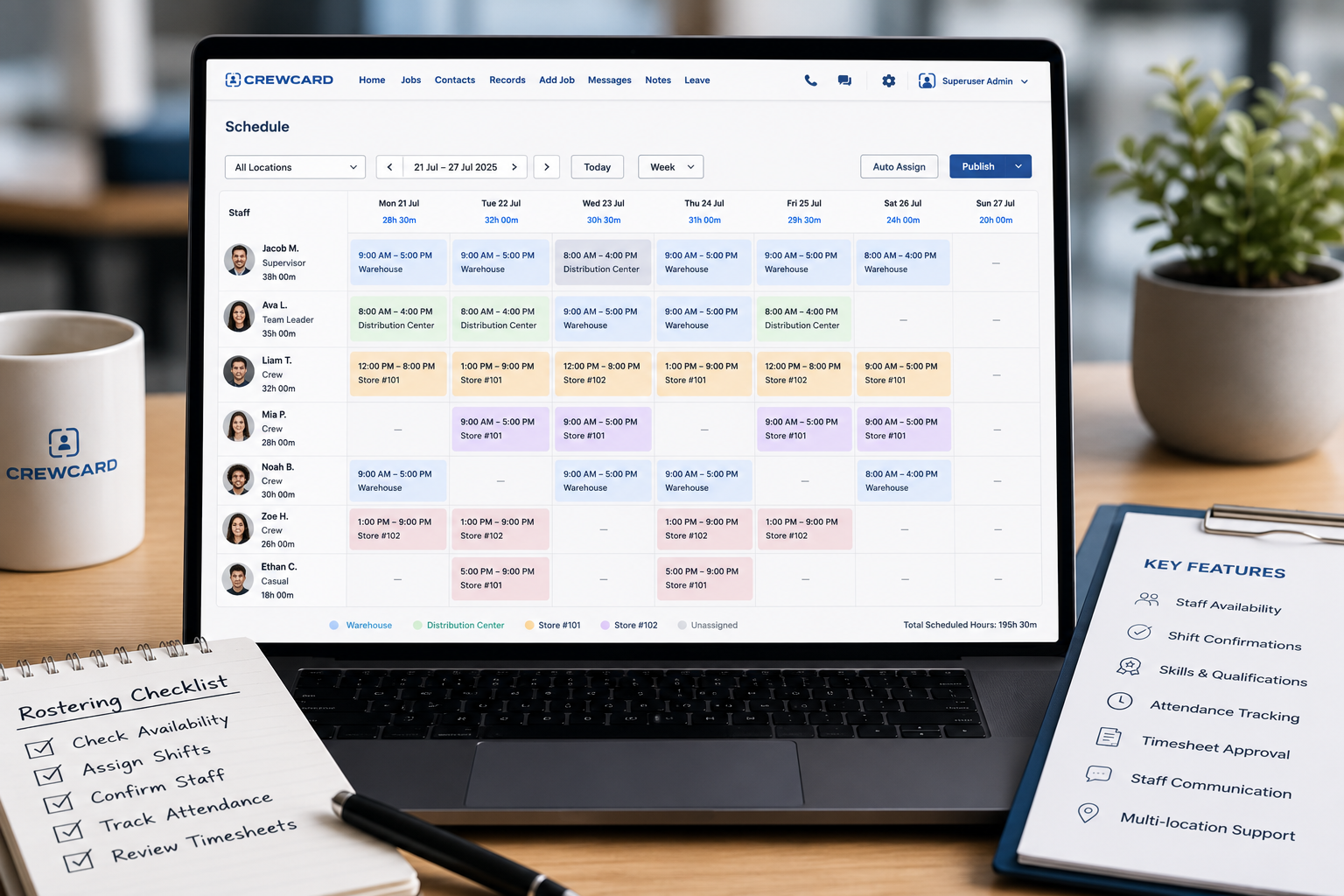
Look for software that fits your roster workflow
Not every business manages rosters the same way. Some teams need simple weekly schedules, while others need shift offers, location details, qualifications, timesheet review and payroll preparation.
Calendar tools such as Google Calendar can help with basic scheduling, but workforce teams often need more detailed rostering tools for staff management.
7 key features to look for in employee rostering software
When choosing employee rostering software, look for tools that help your team manage the full shift workflow, not just the roster itself.
Staff availability
Managers should be able to see who is available before assigning workers to shifts.
Shift offers and confirmations
Shift confirmations help managers know who has accepted work and which roles still need to be filled.
Skills and qualifications
Rostering is easier when managers can assign staff based on required skills, documents or qualifications.
Location and job details
Each shift should include clear location details, meeting place notes, job instructions and contact information.
Attendance tracking
Check-in and check-out records can help managers review attendance before approving hours.
Timesheet approval
Rosters should connect with timesheet review so approved hours are easier to prepare for payroll.
Staff communication
Managers should be able to send shift updates, reminders and job messages to the right staff.
Why manual rosters can slow teams down
Manual rosters often rely on spreadsheets, text messages and phone calls. This can create confusion when schedules change or when staff availability is not up to date.
As teams grow, managers may spend more time checking records, updating files and confirming shifts instead of focusing on daily operations.
Choose rostering software that connects with timesheets
A roster is only one part of the workforce workflow. After a shift is worked, managers often need to review attendance records, approve timesheets and prepare hours for payroll.
Employee rostering software that connects with timesheets can help reduce repeated data entry and make payroll preparation easier to review.
- Compare rostered hours with submitted hours
- Review attendance before timesheet approval
- Check breaks, notes and adjusted times
- Approve timesheets before payroll
- Keep shift records connected with staff hours
Who needs employee rostering software?
Employee rostering software is useful for businesses that manage changing schedules, casual staff, shift workers or teams across different jobs and locations.
It can support staffing agencies, event staffing teams, labour hire businesses, hospitality groups, cleaning teams, healthcare support teams, security companies and field-based businesses.
How CrewCard supports employee rostering
CrewCard helps businesses manage employee rostering, staff availability, shift offers, confirmations, attendance tracking, timesheets and communication from one workforce platform.
Teams can manage staff records, assign workers to shifts, send job details and keep roster information connected with timesheet and payroll workflows.
Looking for better employee rostering software?
CrewCard helps workforce teams manage rosters, staff availability, shift confirmations, attendance, timesheets and communication from one platform.
Request Demo