
No-shows are more than an attendance problem
In a shift-based workforce, one employee not arriving can affect much more than one position on the roster. A supervisor may need to reorganize the team, another employee may be asked to cover extra work, or operations may need to find a replacement with very little notice.
For staffing agencies and businesses managing hourly workers, the impact can spread to the client as well. If a shift was promised with 20 workers and only 18 arrive, the staffing problem becomes visible immediately.
A practical way to reduce employee no-shows is to start before the worker is supposed to arrive. The scheduling, confirmation and communication process leading up to the shift matters.
Unexpected situations will still happen. A better process helps operations identify uncertainty earlier, communicate clearly and respond faster when attendance changes.
Why do employees no-show for shifts?
A no-show can have many causes. Some are outside the employer's control, but others can be made worse by unclear scheduling or weak communication. Understanding those causes is an important part of any plan to reduce employee no-shows.
The worker misunderstood the shift
The start time, location, meeting point or job instructions may have been unclear or buried inside a message thread.
Nobody confirmed they were actually coming
A worker being assigned to a shift does not necessarily mean operations has received a clear acknowledgement or acceptance.
The shift changed after it was assigned
Changes to timing or location can cause confusion when workers are not clearly informed of the updated details.
Operations did not spot the warning signs
Unanswered messages or unconfirmed shifts can go unnoticed when worker responses are being tracked manually.
Something genuinely unexpected happened
Illness, transportation problems, family emergencies and other unforeseen events can still prevent a worker from attending.
A pattern is developing
Repeated late cancellations or missed shifts may indicate a reliability issue that should be visible when future shifts are being allocated.
Shift design can also affect worker fatigue. CDC/NIOSH notes that nonstandard schedules such as night shifts and extended work hours can contribute to work-related fatigue. Read the CDC/NIOSH guidance on fatigue and work .
7 practical ways to reduce employee no-shows
There is no single message or reminder that eliminates every absence. A stronger approach is to make attendance part of the entire scheduling workflow.
Give workers complete shift information
Workers should know the date, start time, location, expected finish time, role, meeting point and any important site instructions before the shift begins. Fewer unanswered questions means less room for confusion.
Get a clear shift response
Do not treat a sent roster as the same thing as confirmation. Where appropriate, give workers a clear way to accept or respond to the shift so operations knows who has acknowledged the booking.
Keep the schedule easy to access
Workers should not have to search old emails or message threads to find tomorrow's shift. Mobile access to current job information can make the schedule easier to check before work.
Communicate changes clearly
If a start time, location or instruction changes, make sure the updated information reaches the affected workers. A roster change that exists only in the office system does not help the worker arriving on site.
Pay attention to unconfirmed workers before the shift
An unconfirmed worker is not automatically a no-show, but it is a reason to check. Identifying unanswered shifts early gives operations more time to follow up before the client is affected.
Know quickly when someone has not arrived
Attendance visibility matters once the shift begins. If a scheduled worker has not checked in or arrived as expected, operations can investigate earlier rather than discovering the gap much later.
Review attendance patterns over time
One missed shift and a repeated pattern are different situations. Reliable attendance records can help operations understand whether the issue was unusual or part of a broader pattern when planning future shifts.
What should happen before the shift starts?
One practical way to reduce employee no-shows is to give operations multiple opportunities to identify uncertainty before the scheduled start time.
A simple no-show prevention checklist
Before a high-priority or client-facing shift begins, operations can quickly review whether the workforce is genuinely ready.
- Required worker numbers are fully allocated
- Workers have current shift times and locations
- Important job or site instructions are available
- Shift responses or confirmations have been reviewed
- Unconfirmed workers have been identified
- Last-minute changes have been communicated
- Operations knows who to contact if coverage changes
- Attendance can be checked when the shift begins
What if a worker still does not show?
Even a strong process will not prevent every missed shift. What matters next is how quickly operations can understand the situation and protect the client requirement.
Confirm the worker is actually missing
Check attendance information and contact the worker rather than relying on assumptions.
Understand the coverage gap
Determine whether the team can operate temporarily or whether a replacement is required immediately.
Find suitable replacement coverage
If necessary, identify available workers who meet the role and job requirements and can realistically reach the site.
Better attendance starts with better visibility
A manager cannot act on a problem they cannot see. If the goal is to reduce employee no-shows, assignments, worker responses, schedule changes and attendance should not remain disconnected until the shift has already started.
The earlier operations can see that a shift may be at risk, the more options the team has to respond.
How CrewCard can help reduce no-show risk
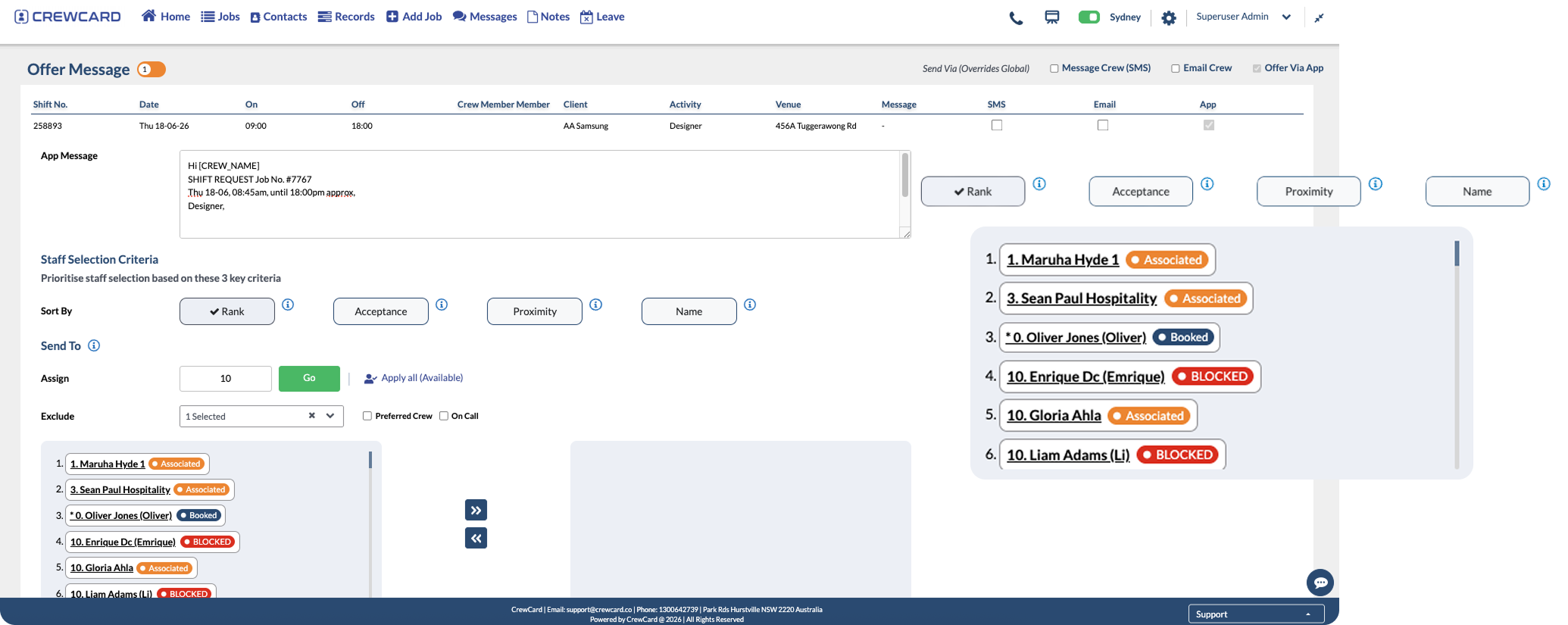
For teams trying to reduce employee no-shows, CrewCard brings workforce scheduling, worker information, communication and timesheet activity into a connected platform. That gives operations better visibility over the stages leading up to and following a shift.
Shift scheduling
Keep upcoming work, assigned workers and job information connected instead of maintaining separate scheduling records.
Worker responses
Improve visibility over which workers have responded to available work and which shifts still require attention.
Mobile shift information
Give workers convenient access to their jobs, shift times and relevant operational information.
Workforce communication
Keep shift-related communication closer to the workforce process when details change or workers need updated information.
Attendance visibility
Connect scheduled shifts with mobile check-in and worked-time information once the shift begins.
Timesheet history
Maintain clearer records of scheduled and actual shift activity after work has been completed.
The aim is not to assume that software can eliminate every attendance issue. It is to give operations clearer information before and during the shift so problems are easier to identify and manage.
Which workforces benefit most from better no-show prevention?
Reducing employee no-shows is especially important in businesses where individual workers are assigned to specific shifts, client sites or operational roles.
- Staffing agencies
- Event and venue staffing
- Hospitality workforces
- Security teams
- Cleaning and facilities services
- Construction and trades staffing
- Field-service teams
- Other hourly and shift-based workforces
Employee no-show FAQs
What is an employee no-show?
An employee no-show generally means a worker was expected for a scheduled shift but did not attend and did not provide enough notice for the absence to be managed beforehand.
How can employers reduce employee no-shows?
Clear shift information, explicit worker responses, accessible schedules, strong communication and early follow-up on unconfirmed shifts can all help reduce avoidable no-shows.
Do shift confirmations help?
Confirmation does not guarantee attendance, but it gives operations more information than simply assuming every assigned worker has seen and understood the schedule.
What should operations do if a worker does not arrive?
Confirm the attendance issue, attempt to contact the worker, determine whether replacement coverage is required and then act according to the organization's attendance procedures.
Can workforce software eliminate no-shows?
No system can eliminate every unexpected absence. Workforce software can improve scheduling visibility, communication and attendance information so operations can identify risk and react sooner.
Get clearer visibility before the shift starts
See how CrewCard can help reduce employee no-shows by keeping scheduling, worker information, shift communication, attendance and timesheets connected in one workforce platform.
Request Demo