
Staffing Agency Software for Scheduling, Timesheets and Onboarding
Staffing agency software helps agencies manage workers, shifts, availability, onboarding, timesheets, payroll workflows and client-ready records from one platform.
What is staffing agency software?
Staffing agency software helps staffing teams manage the daily work involved in assigning workers, filling shifts, tracking attendance and preparing approved hours for payroll or client billing.
For agencies managing temporary workers, casual staff or field teams, manual systems can quickly become difficult to control. Rosters, staff records, job details, documents and timesheets may be spread across spreadsheets, emails, text messages and separate tools.
Why staffing agencies need connected workforce tools
Staffing agencies often need to move quickly. A client may request workers at short notice, a confirmed worker may become unavailable or a job may change before the shift starts.
When scheduling, onboarding, attendance and timesheets are managed in different places, managers can lose time checking records and following up manually.
- Worker availability can be hard to confirm
- Shift offers may be tracked across separate messages
- Onboarding documents may be missing before work starts
- Timesheets may need manual review before payroll
- Client job details may not be easy for workers to find
- Admin teams may need to enter the same data more than once
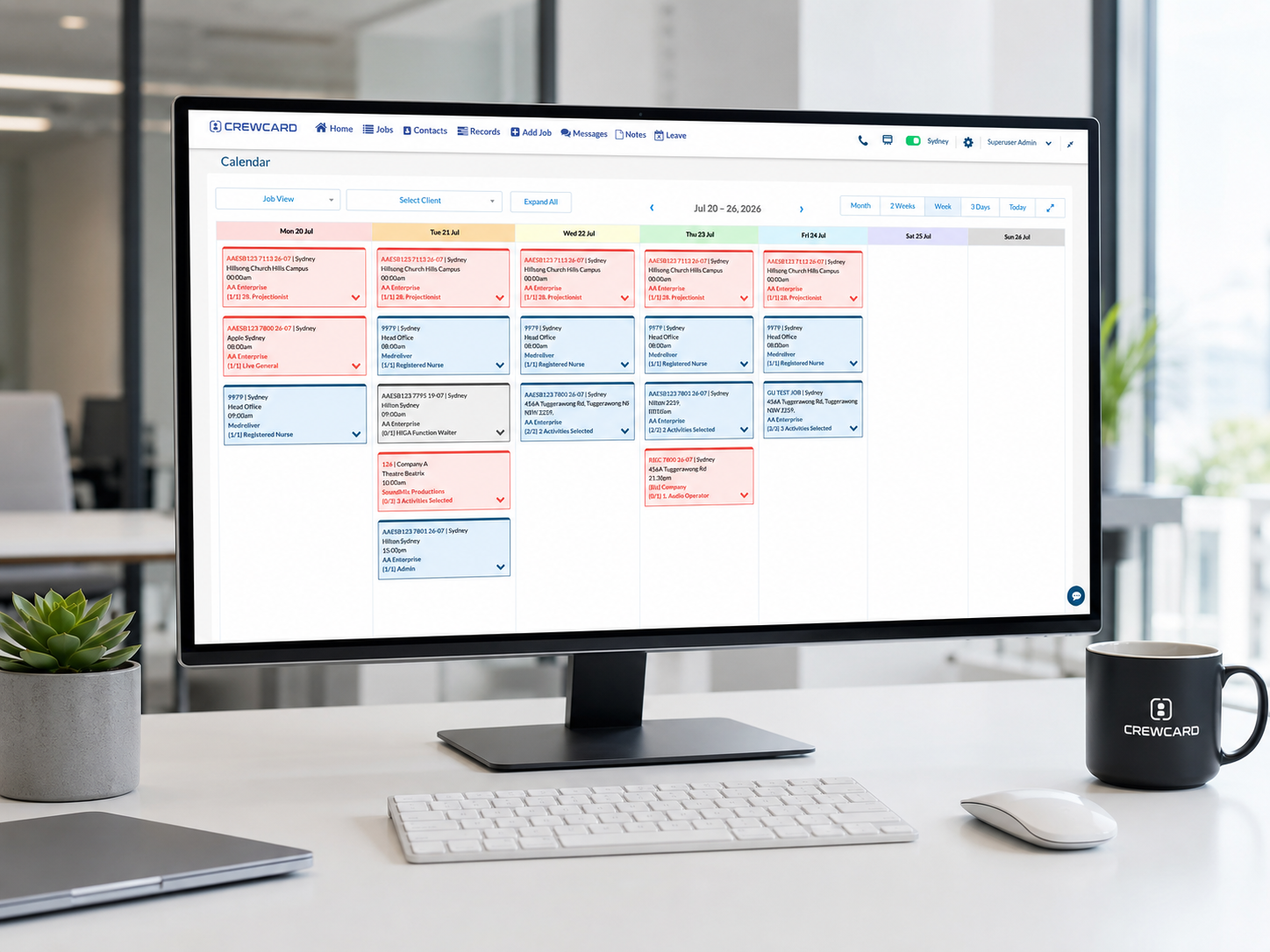
Keep workers, clients and shifts easier to manage
A staffing agency may need to manage many workers across different clients, job sites, roles and pay rules. This means the system should support more than a basic calendar.
For general U.S. wage and hour information, staffing teams can refer to the U.S. Department of Labor Wage and Hour Division. Internal payroll and workforce records should also be reviewed based on the agency’s own processes and professional advice where needed.
7 best features to look for in staffing agency software
The best staffing agency software should help your team manage the full worker workflow, not just one part of the process.
Worker profiles
Keep worker details, roles, skills, availability and documents easier to review before assigning shifts.
Staff availability
Check who is available before offering work, especially when filling shifts at short notice.
Shift offers
Send clear shift offers and track whether workers accept, decline or still need follow-up.
Onboarding records
Manage worker details, agreements, documents, qualifications and other onboarding requirements.
Mobile access
Give workers a clear place to view shifts, receive updates, check job details and submit time records.
Timesheet review
Review submitted hours, compare shift records and approve timesheets before payroll preparation.
Payroll workflow support
Use approved hours and shift records to support payroll preparation and client invoicing workflows.
Manage scheduling without relying on spreadsheets
Staffing teams often need to fill roles across different clients, locations and start times. A spreadsheet roster can quickly become outdated when shift details change or workers decline work.
A better workflow gives managers a clearer view of upcoming shifts, available workers, confirmed workers and roles that still need coverage.
- Create and update shifts
- Offer shifts to suitable workers
- Track accepted and declined shifts
- View open roles that still need coverage
- Keep job details connected to each shift
Onboard workers before their first shift
In staffing operations, a worker may need to complete several steps before they can be assigned to work. This can include profile details, documents, agreements, qualifications or client-specific requirements.
Keeping onboarding connected to staffing records helps managers see who is ready to work and who still needs follow-up.
Connect timesheets with payroll and invoicing workflows
Staffing agencies need clear time records before payroll or billing can be prepared. If timesheets are checked manually, teams may need to compare rosters, messages, job notes and attendance details.
A connected workflow helps teams review hours, approve timesheets and prepare cleaner records for payroll and client invoicing.
- Review submitted staff hours
- Compare rostered and worked hours
- Check breaks, notes and adjusted times
- Approve timesheets before payroll
- Keep approved records easier to trace
Keep client job records easier to review
Staffing agencies often work across multiple clients, each with different job details, contacts, locations and requirements.
When client job records are connected with staffing, scheduling and timesheets, managers can better understand what happened on each job and what still needs to be completed.
How CrewCard supports staffing agency software workflows
CrewCard helps staffing agencies manage workers, staff scheduling, shift offers, employee onboarding, GPS check-ins, time clock records, digital timesheets, payroll workflows and client invoicing support from one workforce platform.
Instead of relying on disconnected spreadsheets, phone calls and message threads, teams can keep staff records, shift details, attendance data and approved timesheets to payroll workflows easier to manage.
CrewCard also supports clearer workplace communication so staffing teams can keep shift updates, worker messages and job details easier to follow.
- Manage worker records and availability
- Send shift offers and track responses
- Support onboarding and document collection
- Track attendance and submitted hours
- Approve timesheets before payroll
- Connect shift records with payroll and invoicing workflows
Looking for staffing agency software?
CrewCard helps staffing teams manage scheduling, onboarding, timesheets, payroll workflows and workforce records with less manual admin.
Request Demo